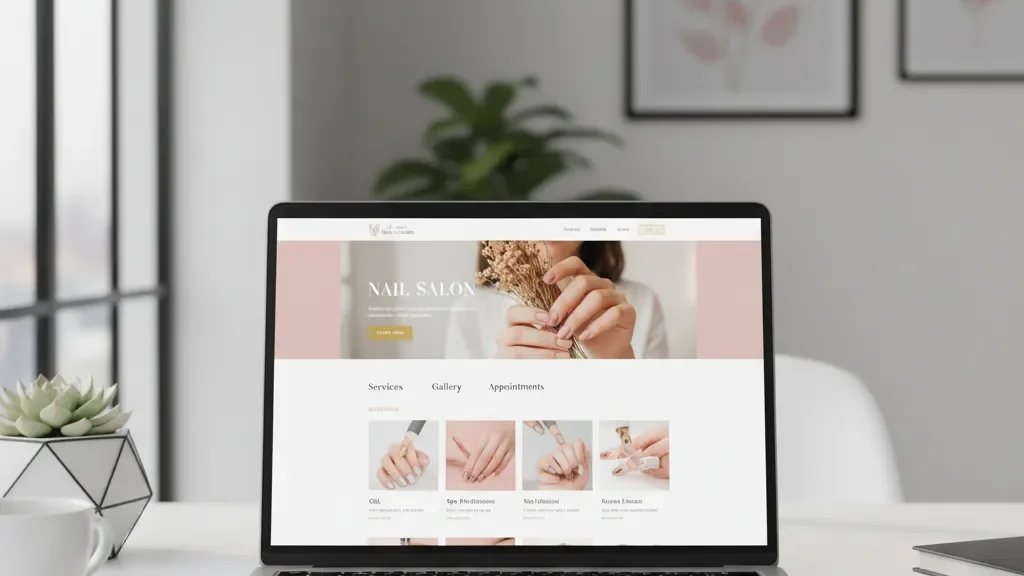
You have a nail salon. You know you need a website. But the moment you start looking into it, you get hit with hosting plans, SEO plugins, drag-and-drop builders, and freelance designers quoting thousands. It gets overwhelming fast.
Here is the straightforward version: what you actually need, what you can skip, and how to avoid the mistakes that waste your money.
DIY vs. Hiring a Web Designer
Building it yourself works if your needs are simple: a few pages, online booking, a photo gallery, and your contact info. Modern website builders require zero coding experience. You can have something presentable in a weekend.
Hiring a professional makes sense if you want custom design, need a complex booking system integrated with your salon software, or do not have the time. Expect $1,500 to $5,000 from a competent freelancer or agency. Be cautious of anyone charging less than $500. That usually means templates with no customization and no ongoing support.
A middle path: build it yourself on a platform like Squarespace, then pay a designer $300 to $800 for a one-time cleanup. Professional polish without the full custom price tag.
Essential Pages Every Nail Salon Website Needs
You do not need 20 pages. You need five or six that do their jobs well.
Home page. Your salon name, location, strong photos of your work, and a clear “Book Now” button above the fold. Do not bury the booking link at the bottom of the page.
Services page. Every service you offer with descriptions and pricing, grouped by category: manicures, pedicures, acrylics, gel, nail art. Clients searching “gel manicure near me” should land on a page that immediately confirms you offer it.
Gallery page. A gallery of your actual work builds trust faster than any paragraph of text. Use real photos, not stock images. Update it regularly with new sets and seasonal designs.
About page. Your story, your team, experience, and certifications. A team photo and short bios go a long way.
Contact page. Address, phone number, email, hours, and an embedded Google Map. If you take walk-ins, say so. If appointments are required, say that instead.
Online booking. A dedicated page or prominent button linking to your booking platform. Over 60% of clients prefer booking online rather than calling. Without this, you are losing appointments to salons that offer it. Tools like Lutily make it easy to add online booking to any website.
Choosing a Platform
Three platforms cover most small business websites. Each has trade-offs.
Squarespace starts at $16/month (Basic) and $23/month (Core), billed annually. Best-looking templates out of the box. Handles galleries beautifully. Intuitive editor. Downsides: fewer integrations than WordPress, and limited deep customization.
Wix starts at $17/month (Light) and $29/month (Core), billed annually. Free plan available with Wix branding, fine for testing but not for a real business. More design flexibility than Squarespace and an extensive app marketplace. Downsides: sites can load slower, and switching templates means rebuilding from scratch.
WordPress (self-hosted via WordPress.org) gives complete control. Hosting runs $3 to $10/month through Bluehost or SiteGround, but you handle updates, security, and backups. WordPress.com (the hosted version) starts at $4/month. Best if you plan to blog regularly or need deep plugin customization. Downside: steeper learning curve and security risks if neglected.
For most nail salon owners who want something functional without ongoing technical headaches, Squarespace or Wix is the right pick.
Domain Name and Hosting
Keep your domain simple: your salon name, or salon name plus city if the exact name is taken. Avoid hyphens, numbers, and creative spellings. A .com costs $10 to $20 per year. Squarespace and Wix include a free domain for the first year with paid plans.
If you use Squarespace or Wix, hosting is included. WordPress.org requires separate hosting at $3 to $15/month. Do not pick the cheapest option available. Slow hosting means a slow website, and 53% of mobile visitors abandon a site that takes longer than three seconds to load (Google/SOASTA).
SEO Basics for Nail Salons
Search engine optimization sounds complicated, but the basics for a local business are manageable.
Claim your Google Business Profile. Free, and arguably more important than your website for local search visibility. Fill out every field: name, address, phone, hours, services, and photos. Complete profiles get significantly more clicks and calls.
Use location-based keywords. Include phrases like “nail salon in [your city]” and “gel manicure [your neighborhood]” in page titles, headings, and body text.
Write unique title tags and meta descriptions. Each page needs its own. Example home page title: “Perfect Design Nail Salon | Manicures and Pedicures in [City].”
Keep your NAP consistent. Name, Address, Phone number should be identical on your website, Google Business Profile, Yelp, Facebook, and every directory. Inconsistencies confuse search engines and hurt local ranking.
Make it mobile-friendly. Over half your visitors are on phones. Google uses mobile-first indexing. All three platforms above produce responsive sites by default, but always preview on a phone before publishing.
Get listed in directories. Yelp, Google Maps, Bing Places, and any local directories. Match your name, address, and phone number exactly to your website.
Common Nail Salon Website Mistakes to Avoid
Using only social media instead of a website. Instagram is great for showcasing nail art, but you do not own that platform. Algorithm changes can cut your visibility overnight. A website is the one property you fully control.
Paying for a site and then ignoring it. Wrong hours, old pricing, and a gallery from 2019 do more harm than no website at all. Budget 30 minutes per month for updates.
Overcomplicating the design. Auto-playing music, heavy animations, pop-ups on every page. These annoy visitors and slow your site down. Clean design with strong photos always wins.
Skipping SSL. SSL puts the padlock in the browser bar and changes http to https. All three platforms include it free. Without it, Google flags your site as “Not Secure” and visitors leave.
Ignoring page speed. Compress images before uploading. Resize to 1200 to 1600 pixels and use WebP format. A one-second delay in load time can reduce conversions by 7%.
Get Started This Week
A nail salon website does not need to be expensive or complicated. Pick a platform, set up your five core pages, add real photos, connect your booking system, and make sure Google can find you. That covers 90% of what matters. A simple site that works will always outperform a perfect site that never launches.
Once your site is live, set up your Google Business Profile to start showing up in local search results.